 Minglyph
Make the table name easy to recognize in the room.
When reception tables use names, the sign and the seating chart must identify the same place. Explore one short table label as lettering artwork, then place it in your own sign layout. Check the complete label from the guest approach and in the actual holder before preparing the set. Minglyph supplies a square image concept, rather than a seating planner or a ready-to-print stationery suite.
Free public preview · No sign-up required · See plans and downloads
Agree on the table names before creating the signs.
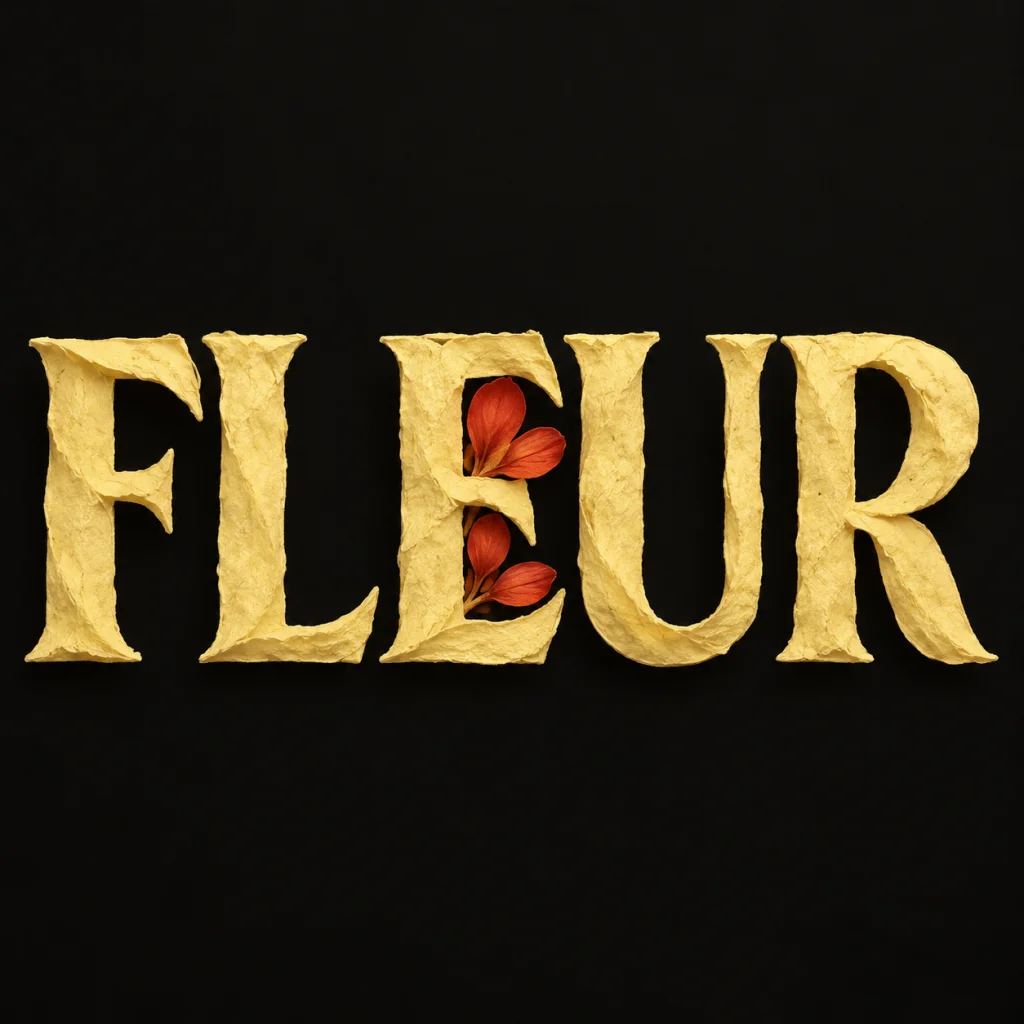
Keep one authoritative list of table labels and use the same wording, spelling and punctuation on the seating chart and table signs. Avoid names that guests could easily confuse. Keep any numeral or secondary label as editable text if it is needed to distinguish a table. FLEUR is an owned September 18 floral-lettering study reused as a possible botanical table name; it is not a real wedding commission or evidence that a complete set has been produced. Compare a contained botanical-lettering idea.
Judge identification before decoration.
Place the artwork proportionally inside the intended sign canvas, with its background intact. Test it in the actual holder: edges, clips, folds and flowers can obscure a label that looked clear on screen. View it from the approach where guests will look for their table and under representative lighting. Thin details should not carry the only clue to the name. A main event announcement uses a different hierarchy because it introduces the occasion rather than identifying a place inside it. Plan the separate event announcement.
Proof the entire set against the seating chart.
Open each downloaded image and compare it character by character with the agreed list. Inspect the longest label and any names with similar beginnings together. Keep a simple editable text label available when a concept is difficult to read. Minglyph does not merge guest lists, assign seats or generate a guaranteed consistent numbered series. The final count, names and physical production check remain part of your reception planning.
Keep the printed details changeable.
Build guest names, meal markers, instructions and any secondary numbers as editable text in the layout tool. Print an actual-size proof and check both visible sides if the holder needs them. Confirm dimensions, margins and export requirements with the printer before ordering the full set. A modest tactile style can inform the image direction; it does not specify a real printing process. Compare a print-like lettering concept.
Another way to approach the letters.
Selected studies with their own briefs. Open a direction and replace the text with yours.
A clear voice for a thoughtful brand.
Use this direction
A small nudge for the work that matters.
Use this directionFrom your text to a considered image.
- 01
Use the agreed table label
Enter the exact short name within 40 characters and compare it with the seating-chart list before continuing.
- 02
Explore one readable direction
Choose a palette and continue to Studio. Keep decoration subordinate to complete words and open counters.
- 03
Check the sign in the real setting
Place the image in your layout, proof the label against the list and inspect an actual-size print inside its holder.
Before you create.
Does this build a seating chart or assign guests?
It creates a square AI lettering concept for one supplied table name. Keep the guest list, seating assignments and complete chart in your planning or layout tool.
Does it automatically create all the table numbers?
There is no automatic sequential batch or guaranteed matching numeral set in this workflow. This page focuses on short table names; keep secondary numbers editable when needed.
Can I export a folded card or printer-ready PDF here?
The artwork is a PNG image component. Assemble the final sign, dimensions, folds and print file separately and confirm the printer requirements.
How do I check whether a table name is readable?
Inspect all characters at full size, then view an actual-size proof in its holder from the likely guest approach. Check the same wording on the seating chart.
Can I use Chinese or mixed-language table names?
Supply exact Unicode text and inspect character structure, spaces and punctuation. Use the identical agreed label on the table sign and seating chart.
Is FLEUR a new wedding design?
No. It is an owned September 18 botanical-lettering study reused as a short table-name reference. It is not a customer wedding, a tested print or a newly generated image.